










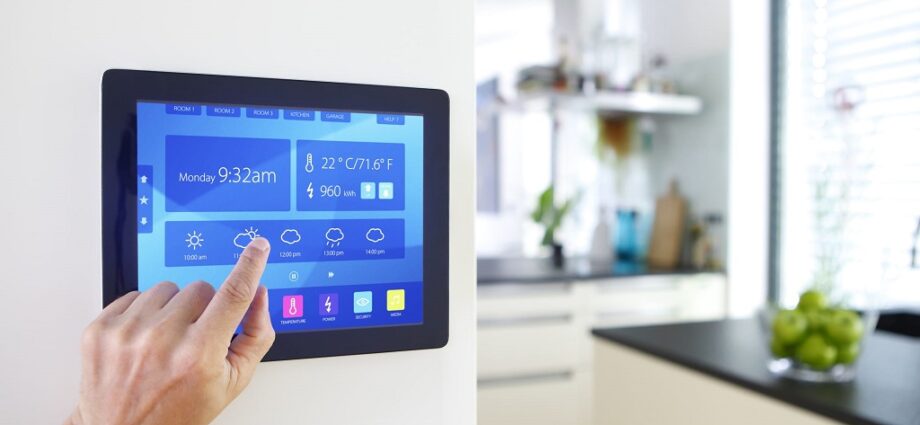
Imagine a home that responds to your needs and anticipates your desires. Lights turn on as you enter a room, the thermostat adjusts to your ideal temperature before you even arrive, and music fills the air at your command. This isn’t science fiction; it’s the reality of a smart home.
The good news? You don’t need a team of tech wizards to create your smart haven. With a little planning and DIY spirit, you can transform your home into a connected ecosystem that simplifies your life and adds a touch of magic. This guide equips you with everything you need to know about DIY smart home projects, from choosing the right devices to navigating the installation process.
Understanding Smart Home Technology
The core of a smart home lies in connected devices that gather data and respond to your commands. These devices communicate with a central hub or app, allowing you to control them remotely or automate tasks. Here are some key components of a smart home:
- Smart Devices: These are everyday appliances or fixtures equipped with Wi-Fi or Bluetooth connectivity. Examples include smart lights, thermostats, doorbells, locks, speakers, and plugs.
- Smart Hub: This acts as the brain of your smart home, connecting various devices and facilitating communication between them. Some devices connect directly to your Wi-Fi network, while others require a hub for central control.
- Smart Home App: This app allows you to interact with your smart devices, set automation routines, and monitor your home remotely.
Benefits of a DIY Smart Home
There are numerous advantages to creating your own smart home:
- Convenience: Imagine controlling lights, adjusting the thermostat, or locking your doors from your phone – that’s the power of convenience a smart home offers.
- Increased Security: Smart locks, doorbells with cameras, and motion sensors can deter intruders and provide peace of mind.
- Improved Energy Efficiency: Smart thermostats learn your preferences and adjust heating and cooling automatically, saving you money on energy bills.
- Enhanced Comfort: Set routines so your lights dim for movie nights or wake you up with gentle music in the morning.
- Increased Accessibility: Smart home technology can make life easier for people with disabilities by allowing voice control or remote operation of devices.
Planning Your DIY Smart Home Project
Before diving headfirst into buying gadgets, take some time to plan your smart home journey:
- Identify Your Needs: What aspects of your daily life would you like to automate? Do you prioritize security, convenience, or energy saving?
- Set a Budget: Smart home devices can range from affordable to high-end. Determine how much you’re comfortable spending and prioritize purchases accordingly.
- Research Compatibility: Ensure the devices you choose work with each other and your chosen smart hub (if using one). Look for devices that utilize common protocols like Zigbee or Z-Wave for seamless connectivity.
- Consider Your DIY Skills: Be honest about your technical abilities. Some devices are simple to install, while others might require more expertise.
Essential Starter Devices for a DIY Smart Home
Here are some beginner-friendly smart home devices that can significantly enhance your living experience:
- Smart Plugs: These plug into existing outlets, allowing you to control lamps, fans, or other appliances remotely.
- Smart Lights: Control your home’s lighting remotely, set automated turn-on/off schedules, or adjust brightness and color temperature with smart bulbs or light switches.
- Smart Thermostat: Schedule heating and cooling adjustments based on your daily routine or adjust the temperature remotely for ultimate comfort.
- Smart Speaker: A smart speaker like Amazon Echo or Google Home acts as a central hub for voice control, allowing you to control devices, play music, and access information hands-free.
Installing Your Smart Home Devices
Many smart home devices are designed for easy DIY installation. Here are some general steps to follow:
- Read the Instructions Carefully: Each device may have specific installation requirements. Pay close attention to the manual to avoid any missteps.
- Download the App: Most smart devices require a dedicated app for configuration and control. Download and install the app on your smartphone or tablet.
- Connect to Wi-Fi (or Hub): Following the app’s instructions, connect your device to your Wi-Fi network or pair it with your smart hub.
- Test and Troubleshoot: Once connected, test your device to ensure it functions as expected. The app or manufacturer’s website might offer troubleshooting tips in case of any issues.
Taking Your Smart Home Beyond the Basics
Once you’ve mastered the basics, explore the vast world of smart home possibilities. Here are some ideas to inspire you:
- Smart Doorbells and Security Cameras: Enhance your home security with smart doorbells that notify you of visitors and allow two-way communication. Smart security cameras provide real-time monitoring and recording capabilities, offering peace of mind when you’re away.
- Smart Sprinklers and Thermostats: Automate your lawn care with smart sprinklers that adjust watering schedules based on weather conditions. Smart thermostats with geofencing capabilities can automatically adjust the temperature when you leave or return home, optimizing comfort and energy efficiency.
- Smart Kitchen Appliances: Control your smart oven remotely to preheat it. At the same time, you’re on the way home or receive notifications when your laundry cycle is complete with a smart washer and dryer.
- Smart Entertainment System: Integrate your smart TV, sound system, and streaming devices for seamless control and voice-activated entertainment experiences.
Safety and Security Considerations for DIY Smart Homes
While smart homes offer convenience, it’s crucial to prioritize security:
- Strong Passwords: Use strong and unique passwords for all your smart home devices and the central hub (if applicable).
- Enable Two-Factor Authentication: If available, enable two-factor authentication for an additional layer of security.
- Keep Software Updated: Ensure your smart home devices and apps install the latest software updates to address potential security vulnerabilities.
- Secure Your Wi-Fi Network: Use a strong password for your Wi-Fi network and consider enabling guest network functionality for devices that don’t require full access to your home network.

The Future of DIY Smart Homes
The world of smart home technology is constantly evolving. Here’s a glimpse into what the future holds:
- Increased Affordability: As smart home technology becomes more mainstream, we can expect to see a wider range of affordable devices for every budget.
- Enhanced Interconnectivity: Future smart homes will boast seamless integration between devices, creating a truly unified ecosystem.
- Artificial Intelligence: Expect AI to play a bigger role, with smart homes learning your habits and preferences, anticipating your needs, and automating tasks for ultimate convenience.
Related: Breathe New Life Into Your Space: Repurposing Old Items Into Functional Decor
Conclusion: Your Smart Home Awaits
Creating a smart home doesn’t require a hefty budget or advanced technical skills. With careful planning, the right devices, and a bit of DIY spirit, you can transform your living space into a connected haven that enhances your comfort, security, and overall lifestyle. So start exploring, experiment with different devices, and witness the magic of a smart home unfold! Remember, the key is to identify your needs, prioritize your budget, and embrace the ever-evolving world of smart home technology. With a little planning and effort, you can create a personalized smart home that reflects your unique lifestyle and makes your everyday life a breeze.